Every chord, scale, and string — one hub.
Interactive music theory tools for guitar, bass, and piano. Explore the Circle of Fifths, CAGED shapes, capo positions, and build progressions you'll actually use.
A quick starter guide to reading what's on screen and turning it into real fingers on real strings/keys. No music theory here — just the practical basics. Go at your own pace, jump around however you like.
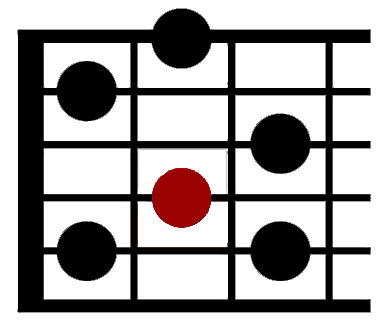
Every diagram is a tiny picture of the neck, standing straight up. The vertical lines are strings (low E on the left, high E on the right), and the horizontal lines are frets. A colored dot means "put a finger here." An O above a string means play it open (no finger). An X means don't play that string at all.
The root is just the note the chord (or scale) is named after — a "C" chord's root is the note C. On the fretboard, the app marks the root with a slightly brighter or ringed dot so you can always spot "home base" even inside a bigger shape.
Clamping a capo on a fret shortens every string by that many frets — it's like moving the guitar's "zero" point up the neck. So the exact same finger shape you already know now makes a different chord ring out. The Capo Explorer shows you both sides: the shape you're actually fretting, and the real chord it sounds like.
Five basic open-chord shapes — C, A, G, E, D — can each be picked up and slid anywhere on the neck to become a different chord, as long as you know where the root lands. That's the whole idea behind "CAGED": one shape, movable everywhere. The CAGED System tool shows all five shapes for the same root, stacked up the neck.
Strumming plays every note in the chord at once, in one motion. Picking the notes one at a time (often called "arpeggiating") plays them individually in sequence instead — same notes, different feel. Look for the Arpeggio toggle next to Play in Chord Library, Capo Explorer, and Chord Builder to hear the difference yourself.
White keys are the natural notes (C, D, E, F, G, A, B), repeating in order left to right. Black keys sit between most white keys in groups of 2-then-3 — that pattern is your landmark for finding any note fast, since C is always the white key right before a group of 2 black keys.
When you pick a chord or scale, the matching keys light up right on the keyboard — so you can see exactly which fingers to use and how they're spaced, instead of just reading a name like "Am7" and guessing.
No piano handy? Toggle "Keyboard: On" and your computer's keys play notes directly — handy little badges above each key show exactly which key triggers which note, and Z / X shift you down or up an octave.
Pick a root and scale to see it mapped across the fretboard.
Select a root to highlight all CAGED shape positions across the fretboard.
Pick a root and chord type to see its notes highlighted across the fretboard.
Select a capo position, then choose a chord shape to see the sounding chord.
Overlay any scale across the bass fretboard. Pick a root and mode to apply instantly.
Pick a root to mark one playable position on the fretboard.
Pick a root and mode to see its notes highlighted across the keyboard.
Pick a root and chord type to see its notes highlighted across the keyboard.
⌨ The badges above each key's note show your computer-keyboard mapping. Z / X shifts it down/up an octave.
Pick a root · pick a quality · add to your sequence · play it back
Pick a key and mode to see its diatonic chords and common progressions.